
10 Misconceptions Your Boss Has Regarding Best Robot Vacuums
페이지 정보
작성자 Margarita
작성일 25-03-04 13:01 조회 7회 댓글 0
작성일 25-03-04 13:01 조회 7회 댓글 0
본문
The Best Robot Vacuums
A robot vacuum is a great option to keep your floors spotless, whether you live in a 3,000 square foot home with three dogs or a stylish apartment. The top models are self-emptying bases, dock and recharge automatically and come with features like cliff sensors.
 If you have carpet, search for a model with high suction power, measured in Pascal (Pa). You can set up no-go zones or virtual barriers to stop the robot from entering certain areas.
Smart Mapping
Many robot vacuums don't come with mapping capabilities which can be a problem when you're trying to get your home clean. These budget-friendly models could be stuck on a variety of obstacles such as cords, furniture legs, and even pet toys that have sprouted from the sofa cushions.
This is why the top robot vacuums with obstacle avoidance use multiple cameras and sensors to create a detailed map of the room as they move through your home. This allows them to navigate your rooms more efficiently, organizing their cleaning in a planned order and not revisiting areas it already cleaned. It also prevents them from getting stuck on items that have been moved during a cleaning process or needing to spend more time "robot-proofing" your home by getting cords out of their way.
Robot vacuums utilize various navigation methods, from the most basic up to the most sophisticated. Infrared sensors are used in some models that are budget-friendly and Robot Vacuum Cleaner Review others employ optical sensor technology that emits a beam of light and then measures the time it takes for the reflection signal to reach its backside which aids the robot in figuring out its location within the room. Certain models that are high-end like the eufy S1 Pro robot, use SLAM navigation, which utilizes the combination of sensors to create a map of the room.
This approach is the most advanced since it allows the robot to move more efficiently, but also provides an efficient interface for the user. These systems can display a 3D model with which allows interaction, and can also create virtual boundaries or zones that are restricted to the robot. This kind of mapping can be used in dark areas as long as there's a light source close by (like a table lamp) which is bright enough to allow the robot to see its surroundings.
The most recent robots that make use of LiDAR, also known as laser scanning, can build a detailed map of your home as it moves through rooms. This isn't as precise as a SLAM system however it can be useful in the avoidance of obstacles. LiDAR can get tripped up by objects that reflect or absorb the laser beam, for instance dark-colored floors. This can trigger cliff sensors on most robots, causing them to stop.
Self-Emptying Bins
Robot vacuums are appealing because they can transfer debris from their onboard dustbins to their docking base with no user intervention. This means that you don't have to constantly bend down to empty the bin, which in turn reduces the frequency of maintenance tasks. This is especially crucial if you live in an extensive home and wish to cut down on the amount of time your hands spend removing dust and dirt.
However, a robot that has been fully emptied can still take up to 7 hours to fully recharge and resume cleaning, which might not be suitable for large or families with a lot of activity. Many manufacturers offer the option of pausing cleaning and continuing in the same spot where the robot stopped after the battery has been charged. This feature is available on the majority of robots and is a fantastic addition if you often have to leave your home for work or are parents of young children.
Check if the robot has a bag to collect debris or in the event that it does not. A bagged model will ensure that dust doesn't release clumps into the atmosphere when it's empty, but you'll need to purchase and replace the bags regularly. If you prefer a bag-less version, look for models that feature sensors that monitor the dust bin onboard and notify you when it's time to empty it.
In addition to self-emptying dustbins The best robot hoover robotic vacuum cleaner comparison cleaners also come with cliff sensors and docking sensors to prevent them from falling over or becoming stuck in the middle of obstacles. They can also use advanced AI to enhance efficiency and avoid various types of debris.
Most robot vacuums require regular maintenance and care to keep them running smoothly. This includes regular cleaning of the brushroll, sides brushes, and wheels to eliminate pet hair and other debris that can cause obstructions and decrease suction power. Make sure to check the level of charge regularly to ensure it is always at its maximum capacity. Low or flat batteries can slow down the robot and cause it to operate less efficiently. Therefore, it is important to check the battery's charge regularly.
Pet Hair Detection
In our tests, we found that certain robots were exceptionally adept at getting pet hair out. These included the Roomba Combo 10 Max as well as the SwitchBot. Certain robots were better than others at picking up hair from pets. Most of the cheaper models rely on bump sensors to aid in objects avoidance, and then plow into things like hanging cords and shoelaces (see below). A few of the more expensive vacuum-and-mop robots we tested use advanced smart mapping and learning capabilities to aid in mapping your home and better navigate over time. This feature is especially useful for those who have carpeted floors and lots of pet hair.
It's important to perform regular maintenance in order to maximize these features. This can include emptying your dust bin and cleaning filters as well as other nooks and wiping down charging and anti-drop sensors. Also, you should take the time to update your firmware, which will allow your robot vacuum ebay continue to function well for an extended period of time.
If you have a robot that has mopping capabilities, make sure to clean the brush and wipe it down regularly. It is essential to keep it clean and in good condition. Replace the mop pads every six months to make sure they are still working.
Some robots can create virtual boundaries or walls on your smartphone. This is helpful when you have wires, cords and other things you don't want your robot to run into. You can create virtual boundaries or boundary lines using your smartphone. This is particularly useful in the case of dangling cords, wires, or other objects you don't wish the robot to come into or become stuck on. Certain robotic floor vacuums cleaners will warn you about things they're about to strike, if you enable this feature in the app. This isn't a feature all robots provide but it's something worth adding to the list.
remote control vacuum cleaner Control
robotic vacuum cleaners (visit my web site) can be operated remotely and are controlled via apps, voice commands or traditional remotes. They also have auto-charging and scheduling features, which makes it simple to maintain an orderly home without manual involvement. This feature is great for those who have limited strength and mobility, since they don't need to lift heavy furniture to reach difficult spaces.
The best robotic vacuums are able to adapt their operation to a broad variety of flooring surfaces, obstacles and other factors. Smart sensors are usually included in these vacuums and can detect different areas and adjust their operations accordingly. This feature allows a robot to automatically switch between cleaning methods while switching from carpet, tile wood, hardwood or any other type of flooring.
These machines are a big help in households that have busy lives and frequent guests. Robot vacuums can be programmed to clean while you're away. And they can return to their docking station in the event that the power runs out. This will help you avoid the stress of a dirty house and save time and money.
If you select one equipped with smart-compatible technology it can connect to your Wi-Fi network, and also communicate with your smartphone. You can make use of an app to schedule cleaning sessions, check your battery level and check the history of your mapping. You can also use your app to view photos of your room if your robovac has cameras. This is useful for identifying objects that the robot may have missed in its previous cleaning session for example, pets toys or chewed-up socks.
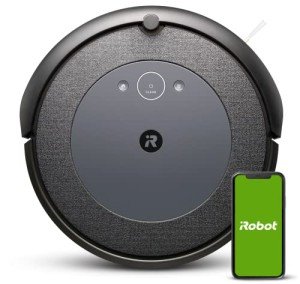 Most of the best robots come with this smart integration. Some are compatible with Google Assistant, which means that you can turn them on by simply giving the command via an intelligent speaker or display. However, certain devices might be unable to communicate with Google Assistant, due to issues such as signal strength or proximity to the location. This issue can be fixed by keeping the device up-to-date and removing any barriers between your Wi-Fi router and it, or even using a Wi-Fi extension.
A robot vacuum is a great option to keep your floors spotless, whether you live in a 3,000 square foot home with three dogs or a stylish apartment. The top models are self-emptying bases, dock and recharge automatically and come with features like cliff sensors.
If you have carpet, search for a model with high suction power, measured in Pascal (Pa). You can set up no-go zones or virtual barriers to stop the robot from entering certain areas.Smart Mapping
Many robot vacuums don't come with mapping capabilities which can be a problem when you're trying to get your home clean. These budget-friendly models could be stuck on a variety of obstacles such as cords, furniture legs, and even pet toys that have sprouted from the sofa cushions.
This is why the top robot vacuums with obstacle avoidance use multiple cameras and sensors to create a detailed map of the room as they move through your home. This allows them to navigate your rooms more efficiently, organizing their cleaning in a planned order and not revisiting areas it already cleaned. It also prevents them from getting stuck on items that have been moved during a cleaning process or needing to spend more time "robot-proofing" your home by getting cords out of their way.
Robot vacuums utilize various navigation methods, from the most basic up to the most sophisticated. Infrared sensors are used in some models that are budget-friendly and Robot Vacuum Cleaner Review others employ optical sensor technology that emits a beam of light and then measures the time it takes for the reflection signal to reach its backside which aids the robot in figuring out its location within the room. Certain models that are high-end like the eufy S1 Pro robot, use SLAM navigation, which utilizes the combination of sensors to create a map of the room.
This approach is the most advanced since it allows the robot to move more efficiently, but also provides an efficient interface for the user. These systems can display a 3D model with which allows interaction, and can also create virtual boundaries or zones that are restricted to the robot. This kind of mapping can be used in dark areas as long as there's a light source close by (like a table lamp) which is bright enough to allow the robot to see its surroundings.
The most recent robots that make use of LiDAR, also known as laser scanning, can build a detailed map of your home as it moves through rooms. This isn't as precise as a SLAM system however it can be useful in the avoidance of obstacles. LiDAR can get tripped up by objects that reflect or absorb the laser beam, for instance dark-colored floors. This can trigger cliff sensors on most robots, causing them to stop.
Self-Emptying Bins
Robot vacuums are appealing because they can transfer debris from their onboard dustbins to their docking base with no user intervention. This means that you don't have to constantly bend down to empty the bin, which in turn reduces the frequency of maintenance tasks. This is especially crucial if you live in an extensive home and wish to cut down on the amount of time your hands spend removing dust and dirt.
However, a robot that has been fully emptied can still take up to 7 hours to fully recharge and resume cleaning, which might not be suitable for large or families with a lot of activity. Many manufacturers offer the option of pausing cleaning and continuing in the same spot where the robot stopped after the battery has been charged. This feature is available on the majority of robots and is a fantastic addition if you often have to leave your home for work or are parents of young children.
Check if the robot has a bag to collect debris or in the event that it does not. A bagged model will ensure that dust doesn't release clumps into the atmosphere when it's empty, but you'll need to purchase and replace the bags regularly. If you prefer a bag-less version, look for models that feature sensors that monitor the dust bin onboard and notify you when it's time to empty it.
In addition to self-emptying dustbins The best robot hoover robotic vacuum cleaner comparison cleaners also come with cliff sensors and docking sensors to prevent them from falling over or becoming stuck in the middle of obstacles. They can also use advanced AI to enhance efficiency and avoid various types of debris.
Most robot vacuums require regular maintenance and care to keep them running smoothly. This includes regular cleaning of the brushroll, sides brushes, and wheels to eliminate pet hair and other debris that can cause obstructions and decrease suction power. Make sure to check the level of charge regularly to ensure it is always at its maximum capacity. Low or flat batteries can slow down the robot and cause it to operate less efficiently. Therefore, it is important to check the battery's charge regularly.
Pet Hair Detection
In our tests, we found that certain robots were exceptionally adept at getting pet hair out. These included the Roomba Combo 10 Max as well as the SwitchBot. Certain robots were better than others at picking up hair from pets. Most of the cheaper models rely on bump sensors to aid in objects avoidance, and then plow into things like hanging cords and shoelaces (see below). A few of the more expensive vacuum-and-mop robots we tested use advanced smart mapping and learning capabilities to aid in mapping your home and better navigate over time. This feature is especially useful for those who have carpeted floors and lots of pet hair.
It's important to perform regular maintenance in order to maximize these features. This can include emptying your dust bin and cleaning filters as well as other nooks and wiping down charging and anti-drop sensors. Also, you should take the time to update your firmware, which will allow your robot vacuum ebay continue to function well for an extended period of time.
If you have a robot that has mopping capabilities, make sure to clean the brush and wipe it down regularly. It is essential to keep it clean and in good condition. Replace the mop pads every six months to make sure they are still working.
Some robots can create virtual boundaries or walls on your smartphone. This is helpful when you have wires, cords and other things you don't want your robot to run into. You can create virtual boundaries or boundary lines using your smartphone. This is particularly useful in the case of dangling cords, wires, or other objects you don't wish the robot to come into or become stuck on. Certain robotic floor vacuums cleaners will warn you about things they're about to strike, if you enable this feature in the app. This isn't a feature all robots provide but it's something worth adding to the list.
remote control vacuum cleaner Control
robotic vacuum cleaners (visit my web site) can be operated remotely and are controlled via apps, voice commands or traditional remotes. They also have auto-charging and scheduling features, which makes it simple to maintain an orderly home without manual involvement. This feature is great for those who have limited strength and mobility, since they don't need to lift heavy furniture to reach difficult spaces.
The best robotic vacuums are able to adapt their operation to a broad variety of flooring surfaces, obstacles and other factors. Smart sensors are usually included in these vacuums and can detect different areas and adjust their operations accordingly. This feature allows a robot to automatically switch between cleaning methods while switching from carpet, tile wood, hardwood or any other type of flooring.
These machines are a big help in households that have busy lives and frequent guests. Robot vacuums can be programmed to clean while you're away. And they can return to their docking station in the event that the power runs out. This will help you avoid the stress of a dirty house and save time and money.
If you select one equipped with smart-compatible technology it can connect to your Wi-Fi network, and also communicate with your smartphone. You can make use of an app to schedule cleaning sessions, check your battery level and check the history of your mapping. You can also use your app to view photos of your room if your robovac has cameras. This is useful for identifying objects that the robot may have missed in its previous cleaning session for example, pets toys or chewed-up socks.
Most of the best robots come with this smart integration. Some are compatible with Google Assistant, which means that you can turn them on by simply giving the command via an intelligent speaker or display. However, certain devices might be unable to communicate with Google Assistant, due to issues such as signal strength or proximity to the location. This issue can be fixed by keeping the device up-to-date and removing any barriers between your Wi-Fi router and it, or even using a Wi-Fi extension.댓글목록
등록된 댓글이 없습니다.