
Guide To Robot Vacuum Best: The Intermediate Guide Towards Robot Vacuu…
페이지 정보
본문
How to Keep a Robot Vacuum Clean
Robot vacuums can help keep your floors clean. Depending on the model, they can also sweep or mop stairs.
Find models with advanced features, such as remote access and app control. Apps can be used to plan cleaning sessions and keep track of the progress. Some apps allow you to suspend and recharge, and then return to where they left off.
1. Battery Life
It's safe to say that future of cleaning is here. With cars that drive on their own, drones that fly through the air, and Robot Vacuum best vacuums that move around furniture with ease It's safe to say that the future is now here. As with any technology, some maintenance is required to ensure it's running smoothly.
The cycle of charging and discharging the battery is the most crucial factor in the longevity of your robot. Keep the dust bin filled and empty, checking for hairs that are tangled regularly and making sure that the brushes are not blocked will help your robot run more effectively.
The environment the robot is kept can impact the battery's performance. Extreme cold and heat could affect battery performance. You can prolong the life of your battery by ensuring it is charged to 50% before storage, robot Vacuum Best storing it in an area that is cool, and taking it off of sources of power when not in use. Most smart devices also have periodic firmware updates that help optimize performance and battery optimization. Check the app to see if there's any updates.
For those with lots of hard floors, a robotic vacuum is a great option. It will remove dirt and debris quickly and efficiently, leaving your floors sparkling. If you're looking for more than just a quick clean-up, you'll want look for a model with superior navigation and obstacles-avoiding capabilities.
Our top-rated robot is the Ecovacs Deebot T20, combines advanced navigation with strong suction and a wide range of mopping functions to deliver a thorough, deep clean of your hard floors. It utilizes cameras and LiDAR sensors to create precise maps of your home. This helps it stay on the right path and avoid getting stuck on furniture legs or power cords. It also can detect objects like clutter and shoes, and then automatically clean around them. It also self-empties, meaning that you don't have to return the vacuum back to its base station to empty its bin after each cleaning session.
2. Dust Bin
Robots are great for quick midweek cleaning but lack the suction to replace a plug-in vacuum cleaner for more thorough cleaning. Even the top robotic vacuums are prone to getting caught in cords and toys. They also can ignore dirt piles in the vicinity of baseboards and struggle to get rid of the crumbs that have accumulated under furniture. The dust bins on their own fill up so quickly that they need to return to their charging docks to self-empty, which can take up to half an hour for some models.
As such, it's important to choose a vacuum that has a big dustbin and can empty into its dock without having to return to finish the job. You'll need to determine if you prefer a bagged model or a bagless one. If you choose the bagless version you'll need to determine how much dust it will hold before you empty it.
In our tests, we apply 100 grams of sand onto the carpet in a medium pile and utilize a robot vacuum sweep it across the carpet. We then weigh the amount of sand that we find in the onboard dust bin to determine the amount dirt it has accumulated. A high amount indicates that the bin onboard may be filled faster and force the robot to stop cleaning.
It's important to know that most robot vacuums best vacuums have a large dustbin, which can be easily empty. You can also schedule the cleaning of their bases at least two times a day. It is also a good idea to keep a container of compressed air on hand to blow out hairs that are tangled in the rotating brush. You can also clean any filters according to the guidelines provided by the manufacturer.
3. Wi-Fi Connectivity
The top robot vacuums provide various connectivity options to connect to your home's Wi-Fi network. This lets the robot download and install updates to its software, and also gives you the option to monitor your bot via an app or via voice-activated commands. This feature is not essential but it does provide the convenience of customization and can enhance your robot's overall vacuuming experience.
To keep them functioning at their peak, most models require some level of maintenance. For example, emptying the dustbin and cleaning the brushroll. Keeping tabs on consumable parts and following a regular schedule of cleaning and detachment can extend their lifespan as well. Emily Rairdin, a vacuum expert at University Vacuum & Sewing, says that a robot cleaner's life is typically between three and five years. However, this can differ based on how often you use it and if you take care to maintain it.
A robot vacuum has to be able to navigate around obstacles and map your floor in order to function. Advanced navigation systems have cliff sensors that alert the bot of steep drops. They also have laser and optical sensors that help "see" the arrangement of a room. Some robots come with a mopping function that can be used to keep floors between deep cleanings with vacuums.
The best 2-in-1 robots can mop and vacuum making it possible to bypass the need to switch between the manual and robot vacuum. The iRobot Roomba 690 is a robust, highly efficient robot vacuum cleaner that can wash its mop pad, and clean surfaces with its water tank. Its top-quality mapping and obstacle-avoidance abilities earned it CR's Best robot vacuum cleaner UK robot vacuum award, as well as an AVTech Editors' Choice award.
4. Cleaning Patterns
The best robot vacuums we test have excellent pickup scores on hard floors as well as carpets with a low pile. They remove dust, dirt and pet hair. They also sweep away crumbs and debris from the edges of rooms and along baseboards. They can't remove deep-seated dirt or tangles of shag fibers like an upright or canister. They cannot pick up spilled liquids or food items, or use large screws made of metal. They might also overlook certain areas (including under furniture).
Many models have clever features that make them more user-friendly. Many models have an app that allows you to schedule cleaning sessions and remotely control the robot. They can also be integrated with your smart-home system which means you can control the robots with voice commands via Amazon Alexa or Google Assistant. Certain models come with multiple modes that let you select between mopping, sweeping, and vacuuming. They can return to their docks for a recharge and pick up where they left off.
The technology for avoiding obstacles has improved in recent years, but it is still necessary to clean out toys, cords, and pet messes prior running the robot. Before you map out the room, Robot Vacuum Best you'll want to cover all floor-to ceiling mirrors with cardboard. The lasers employed by some models can bounce off reflective surfaces, causing the robot to crash against walls or floors.
The most expensive models come with advanced mapping capabilities, some making use of lidar to create a 3D map of your space. This helps the robot vacuums that mop recognize obstacles and design the most efficient path around them. Some allow you to set no-go zones, so the robot can avoid specific areas like your pet's food bowls or a rug that is expensive.
5. App Control
You can create an agenda for cleaning and control the robots with an app. This lets you tidy your home even when you are at work or on vacation. Certain robots also have the capability to self-empty into a larger bin in their base which can reduce dust re-release and is an excellent feature for people suffering from allergies.
Certain robots, like the more expensive Roborock S8 Pro Ultra, can even spot objects on the floor and employ a camera to instruct them to avoid obstacles like power cords, furniture legs or pet toys. This is an impressive feature and is even offered in less expensive models. It's essential to regularly empty the dust bin of your robot and examine it for fur that has become tangled as it accumulates.
Certain models can also create 3D representations. This is helpful if you have more than one floor. You can pick specific rooms, and set up digital "keep-out" zones to ensure your robot only is cleaning the areas you want.
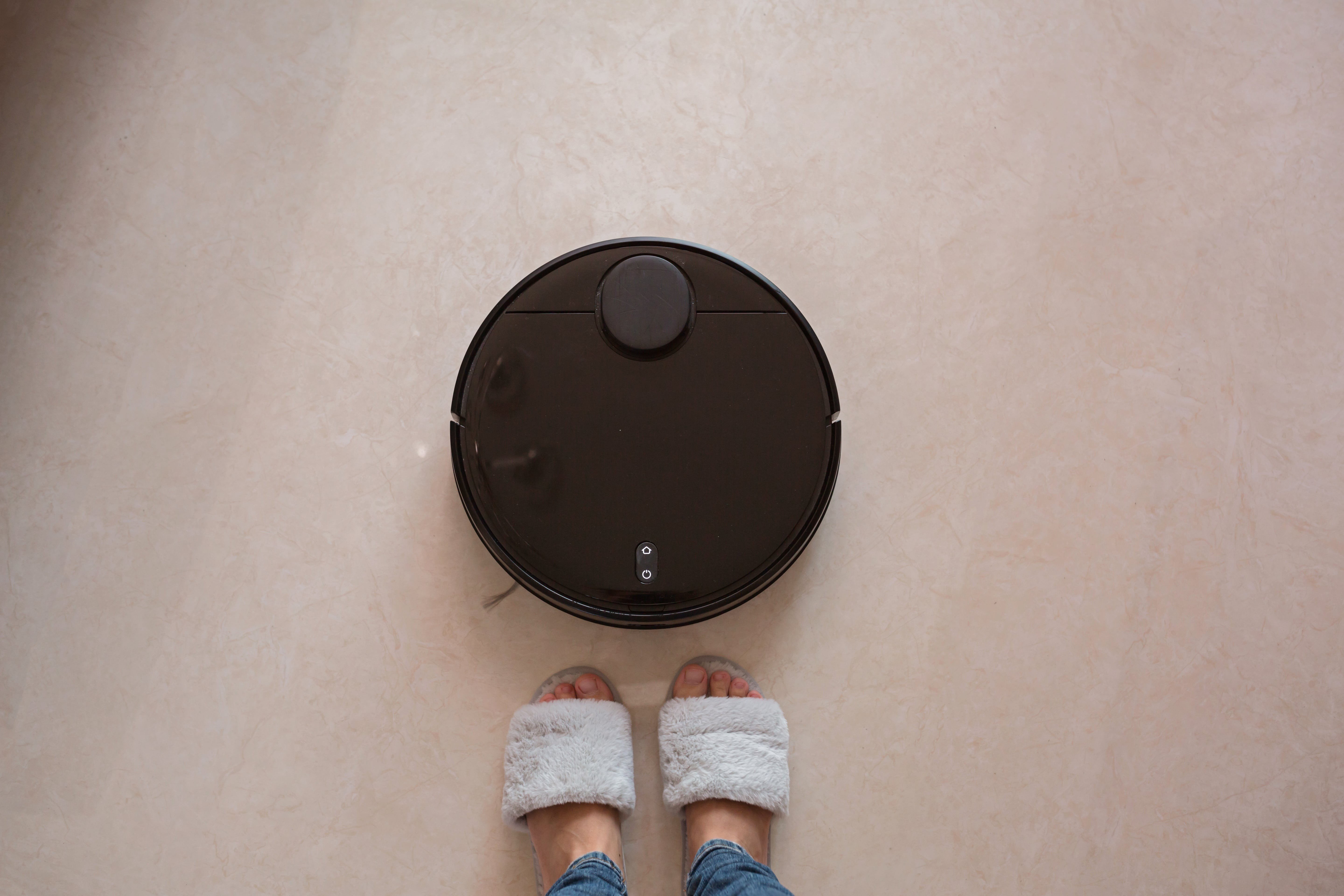 Robots are great for regular midweek cleaning, but they can't replace a full-size plug-in vacuum, especially on carpets. They're better at picking up dirt that's embedded in carpet than plain floors, however they're not able to spot piles of debris that are close to baseboards and thresholds, as well as cords and socks that are tangled. Look for a robot with zones and spot cleaning modes. This allows you to concentrate on specific areas and not waste time. There are also models that charge and resume where they have left off. This is great for homes with large rooms.
Robot vacuums can help keep your floors clean. Depending on the model, they can also sweep or mop stairs.
Find models with advanced features, such as remote access and app control. Apps can be used to plan cleaning sessions and keep track of the progress. Some apps allow you to suspend and recharge, and then return to where they left off.
1. Battery Life
It's safe to say that future of cleaning is here. With cars that drive on their own, drones that fly through the air, and Robot Vacuum best vacuums that move around furniture with ease It's safe to say that the future is now here. As with any technology, some maintenance is required to ensure it's running smoothly.
The cycle of charging and discharging the battery is the most crucial factor in the longevity of your robot. Keep the dust bin filled and empty, checking for hairs that are tangled regularly and making sure that the brushes are not blocked will help your robot run more effectively.
The environment the robot is kept can impact the battery's performance. Extreme cold and heat could affect battery performance. You can prolong the life of your battery by ensuring it is charged to 50% before storage, robot Vacuum Best storing it in an area that is cool, and taking it off of sources of power when not in use. Most smart devices also have periodic firmware updates that help optimize performance and battery optimization. Check the app to see if there's any updates.
For those with lots of hard floors, a robotic vacuum is a great option. It will remove dirt and debris quickly and efficiently, leaving your floors sparkling. If you're looking for more than just a quick clean-up, you'll want look for a model with superior navigation and obstacles-avoiding capabilities.
Our top-rated robot is the Ecovacs Deebot T20, combines advanced navigation with strong suction and a wide range of mopping functions to deliver a thorough, deep clean of your hard floors. It utilizes cameras and LiDAR sensors to create precise maps of your home. This helps it stay on the right path and avoid getting stuck on furniture legs or power cords. It also can detect objects like clutter and shoes, and then automatically clean around them. It also self-empties, meaning that you don't have to return the vacuum back to its base station to empty its bin after each cleaning session.
2. Dust Bin
Robots are great for quick midweek cleaning but lack the suction to replace a plug-in vacuum cleaner for more thorough cleaning. Even the top robotic vacuums are prone to getting caught in cords and toys. They also can ignore dirt piles in the vicinity of baseboards and struggle to get rid of the crumbs that have accumulated under furniture. The dust bins on their own fill up so quickly that they need to return to their charging docks to self-empty, which can take up to half an hour for some models.
As such, it's important to choose a vacuum that has a big dustbin and can empty into its dock without having to return to finish the job. You'll need to determine if you prefer a bagged model or a bagless one. If you choose the bagless version you'll need to determine how much dust it will hold before you empty it.
In our tests, we apply 100 grams of sand onto the carpet in a medium pile and utilize a robot vacuum sweep it across the carpet. We then weigh the amount of sand that we find in the onboard dust bin to determine the amount dirt it has accumulated. A high amount indicates that the bin onboard may be filled faster and force the robot to stop cleaning.
It's important to know that most robot vacuums best vacuums have a large dustbin, which can be easily empty. You can also schedule the cleaning of their bases at least two times a day. It is also a good idea to keep a container of compressed air on hand to blow out hairs that are tangled in the rotating brush. You can also clean any filters according to the guidelines provided by the manufacturer.
3. Wi-Fi Connectivity
The top robot vacuums provide various connectivity options to connect to your home's Wi-Fi network. This lets the robot download and install updates to its software, and also gives you the option to monitor your bot via an app or via voice-activated commands. This feature is not essential but it does provide the convenience of customization and can enhance your robot's overall vacuuming experience.
To keep them functioning at their peak, most models require some level of maintenance. For example, emptying the dustbin and cleaning the brushroll. Keeping tabs on consumable parts and following a regular schedule of cleaning and detachment can extend their lifespan as well. Emily Rairdin, a vacuum expert at University Vacuum & Sewing, says that a robot cleaner's life is typically between three and five years. However, this can differ based on how often you use it and if you take care to maintain it.
A robot vacuum has to be able to navigate around obstacles and map your floor in order to function. Advanced navigation systems have cliff sensors that alert the bot of steep drops. They also have laser and optical sensors that help "see" the arrangement of a room. Some robots come with a mopping function that can be used to keep floors between deep cleanings with vacuums.
The best 2-in-1 robots can mop and vacuum making it possible to bypass the need to switch between the manual and robot vacuum. The iRobot Roomba 690 is a robust, highly efficient robot vacuum cleaner that can wash its mop pad, and clean surfaces with its water tank. Its top-quality mapping and obstacle-avoidance abilities earned it CR's Best robot vacuum cleaner UK robot vacuum award, as well as an AVTech Editors' Choice award.
4. Cleaning Patterns
The best robot vacuums we test have excellent pickup scores on hard floors as well as carpets with a low pile. They remove dust, dirt and pet hair. They also sweep away crumbs and debris from the edges of rooms and along baseboards. They can't remove deep-seated dirt or tangles of shag fibers like an upright or canister. They cannot pick up spilled liquids or food items, or use large screws made of metal. They might also overlook certain areas (including under furniture).
Many models have clever features that make them more user-friendly. Many models have an app that allows you to schedule cleaning sessions and remotely control the robot. They can also be integrated with your smart-home system which means you can control the robots with voice commands via Amazon Alexa or Google Assistant. Certain models come with multiple modes that let you select between mopping, sweeping, and vacuuming. They can return to their docks for a recharge and pick up where they left off.
The technology for avoiding obstacles has improved in recent years, but it is still necessary to clean out toys, cords, and pet messes prior running the robot. Before you map out the room, Robot Vacuum Best you'll want to cover all floor-to ceiling mirrors with cardboard. The lasers employed by some models can bounce off reflective surfaces, causing the robot to crash against walls or floors.
The most expensive models come with advanced mapping capabilities, some making use of lidar to create a 3D map of your space. This helps the robot vacuums that mop recognize obstacles and design the most efficient path around them. Some allow you to set no-go zones, so the robot can avoid specific areas like your pet's food bowls or a rug that is expensive.
5. App Control
You can create an agenda for cleaning and control the robots with an app. This lets you tidy your home even when you are at work or on vacation. Certain robots also have the capability to self-empty into a larger bin in their base which can reduce dust re-release and is an excellent feature for people suffering from allergies.
Certain robots, like the more expensive Roborock S8 Pro Ultra, can even spot objects on the floor and employ a camera to instruct them to avoid obstacles like power cords, furniture legs or pet toys. This is an impressive feature and is even offered in less expensive models. It's essential to regularly empty the dust bin of your robot and examine it for fur that has become tangled as it accumulates.
Certain models can also create 3D representations. This is helpful if you have more than one floor. You can pick specific rooms, and set up digital "keep-out" zones to ensure your robot only is cleaning the areas you want.
Robots are great for regular midweek cleaning, but they can't replace a full-size plug-in vacuum, especially on carpets. They're better at picking up dirt that's embedded in carpet than plain floors, however they're not able to spot piles of debris that are close to baseboards and thresholds, as well as cords and socks that are tangled. Look for a robot with zones and spot cleaning modes. This allows you to concentrate on specific areas and not waste time. There are also models that charge and resume where they have left off. This is great for homes with large rooms.댓글목록
등록된 댓글이 없습니다.